
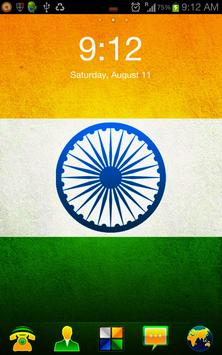
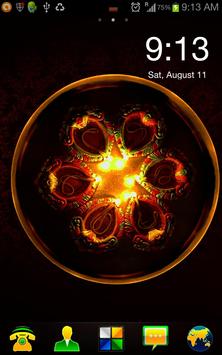
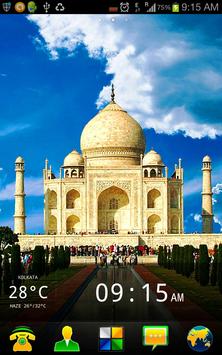
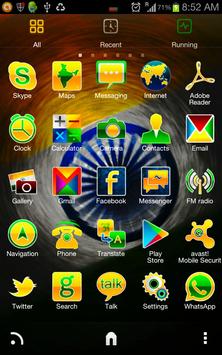
A free, clean, customized & elegant Indian Flag based theme for your Android. Does a complete overhaul of look and feel of your mobile's interface with Indian flag, important structure and cultural wallpapers and gives you a chance to show your patriotism. Be it Independence Day or Republic day, you now can carry the essence of India with you, always.
===================================================================
Important
===================================================================
* Not a standalone theme. Requires Go/ADW/APEX/Launcher Pro/Holo.
*
Problems/Suggestions?
Contact us at support@alienizer.com
*
Rating -
Like it? Please rate & click the 1 button :)
*
FAQ?
See below.
===================================================================
Features -
1. 85 customized HD tricolor icons and counting.
2. 3 Customized HD tricolor wallpapers. (India Flag, Diwali, Taj Mahal)
3. Supports almost all popular launchers.
4. Elegant Launcher interface.
5. Has it's own interface for better UI experience.
FAQs -
How to:
1. Move this to SD Card?
Go to Settings > Applications > Select Indianizer > Move to SD. Alternatively, you can use App2SD.
2. Apply this theme?
* For Go Launcher, ADW Launcher EX, APEX/APEX Pro and Launcher Pro, you can select them from the theme's settings interface. Just click on the Indianizer icon and select appropriate launcher.
* For ADW launcher - ADW Settings > Theme Preferences > Select your theme > Indianizer.
* Holo/Holo Plus - Launcher Settings > Appearance Settings > Icon pack
* To change the app-drawer icon in APEX/ADW/Launcher Pro/Holo Launcher - Hold the icon for a moment, a menu will appear. Click on edit/replace button and select the app-drawer icon from the list.
3. Apply a wallpaper?
Click on Indianizer Theme > Set Wallpaper > Choose the wallpaper you like > Click on Set Wallpapaer
4. Change Launcher Pro Dock Icons?
Scroll the dockbar to left > Click on ' ' icon > Click on applications > Select the appropriate application.
5. Optout option from Ads?
Details here - http://goo.gl/9yhua . But if you do that, you'll actually stop supporting us and this theme. Our products contains absolutely minimum amount of ad. Please consider before blocking them.
Disclaimer -
1. We offer premium products for free. But we have to pay our developers. So to support development and creating innovating personalization items, we have included a few ads. We hope to get your support on this.
2. Requires permission for theming, updating and showing minimal ads. No user info is being stored by us.
Copyrights & Credits -
Unless otherwise stated, Indianizer Theme and all of it's elements are Alienizer copyright. All rights reserved.
Taj Mahal Wallpaper - Modified from http://goo.gl/G1FqZ under Creative Common Attribution License.
Diwali Wallpaper - Modified from http://goo.gl/DfSo1 under Creative Common Attribution License.
* ADW, APEX, launcher Pro, Holo launcher support
* 33 New icons
* Few alignment bugfix.
* SD card support

9Apps 4.9











