

Download the official version of India apps from 9apps now. 10,000+ users downloaded Custom Keyboard latest version on 9Apps for free every week! You'll found many people are using it. This hot app was released on 2015-12-17. To read more information, you can go to 9Apps.
Custom Keyboard is an android keylogger program. An Android keylogger is a type of surveillance program that has the capability to record every keystroke you make to a log file. A keylogger recorder can record login passwords and usernames, everything typed in internet browsers, email passwords and usernames, all chat conversations (Messaging, Skype, Facebook, Twitter, etc), banking accounts and any information you type at any time using your phone’s keyboard. The log file created by the keylogger can then be sent to a specified receiver.
The Custom Keyboard will allow you to see how your kids or employees are using their phones. Is your child using his/her phone inappropriately? Would you feel better to know what your children are doing on the internet? Do you have employees sharing confidential information about your company? By using Custom Keyboard you can do that.
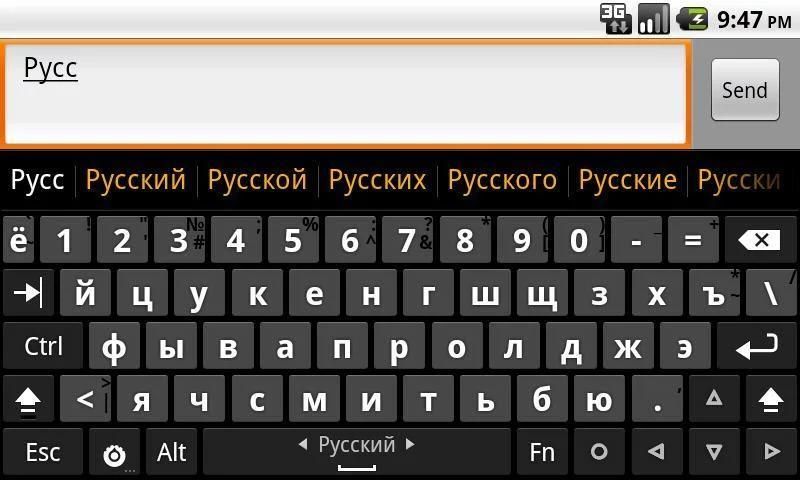
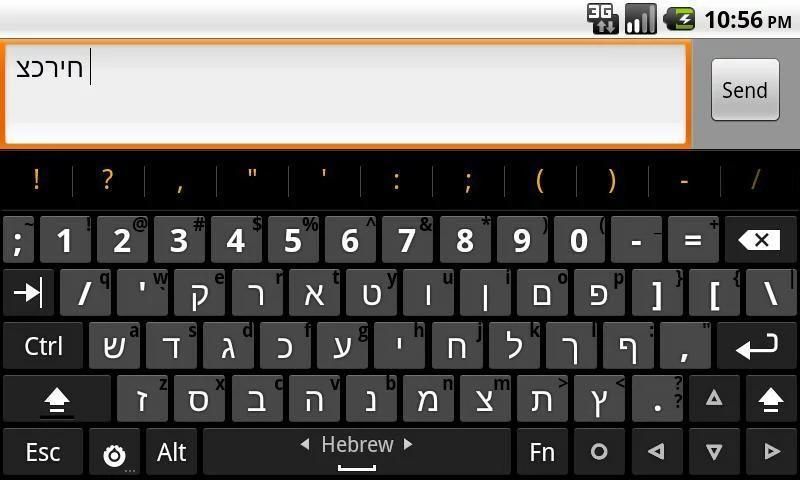
The Custom Keyboard, in addition to the capability to record every keystroke using your phone’s keyboard, has the keyboard layout you're used to from your computer. This keyboard has separate number keys, punctuations in the usual places, arrow keys and Ctrl, Alt, Esc and Tab keys, like a computer keyboard. You can choose to change the size and set the keyboard mode. Also you can choose between 4-row or 5-row keyboard layout.
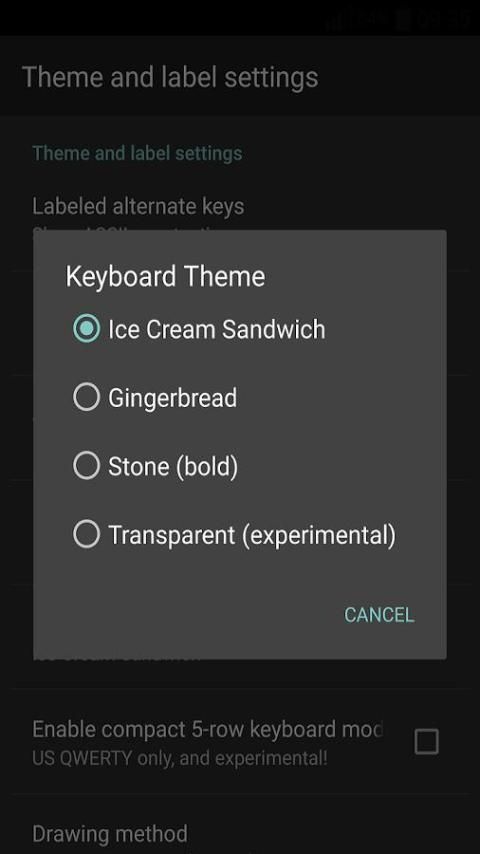
Custom Keyboard has 4-keyboard layout themes which is accessible from the keyboard settings and is based on the AOSP Gingerbread soft keyboard.
The supported keyboard layouts include:
Armenian, Arabic, Bulgarian , Czech, Danish, English Dvorak, English, English/British (en_GB), Finnish, French, German, Greek, Hebrew, Hungarian, Italian, Lao, Norwegian, Persian, Portugese, Romanian, Russian, Serbian, Slovak, Slovenian, Spanish, Swedish, Tamil, Thai, Turkish, Ukrainian, ... and many other languages.
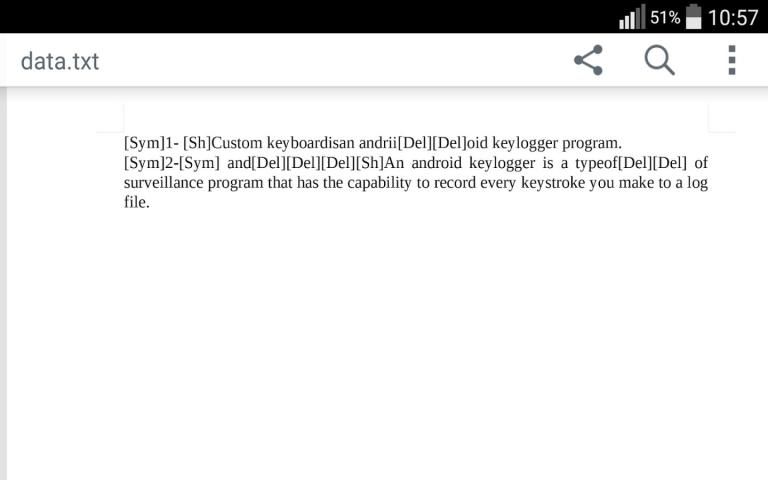
The Custom Keyboard has been supplied in two Basic and Pro versions. In this version (Basic), every recorded keystroke, will be saved continuously in a text file (data.txt) in the Custom Keyboard directory on the external memory (Internal memory on some phones).
Internal/External Memory --> Custom Keyboard --> data.txt
In the Pro version, in addition to keystrokes, the application name as well as the date and time will be recorded. Then, the log file will be sent in the specified time intervals to the Gmail address which you have entered in the installation process.
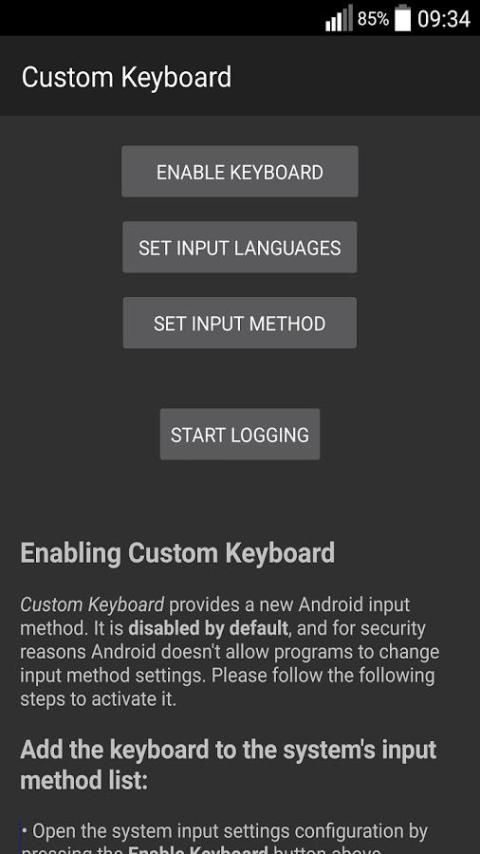
Enabling Custom Keyboard:
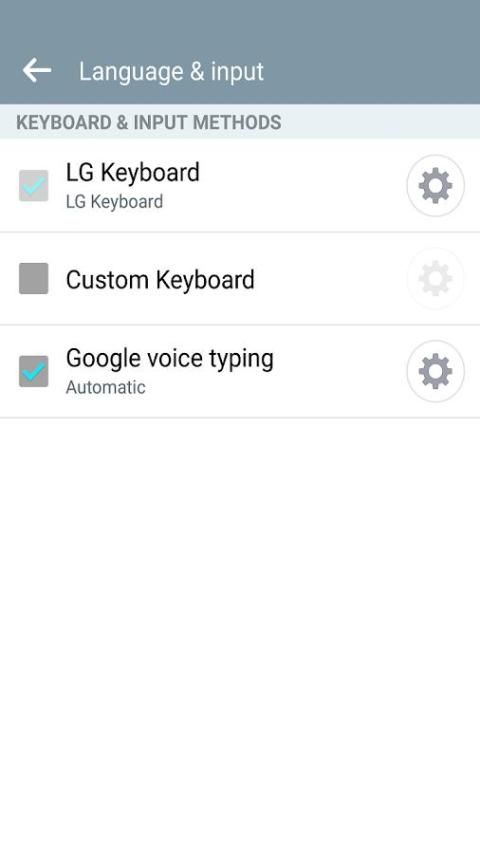
• Add the keyboard to the system's input method list:
Open the system input settings configuration by pressing the Enable Keyboard button above.
Find Custom Keyboard in the input method list, tap the checkmark to switch it on.
Press the Back button to return to this page.
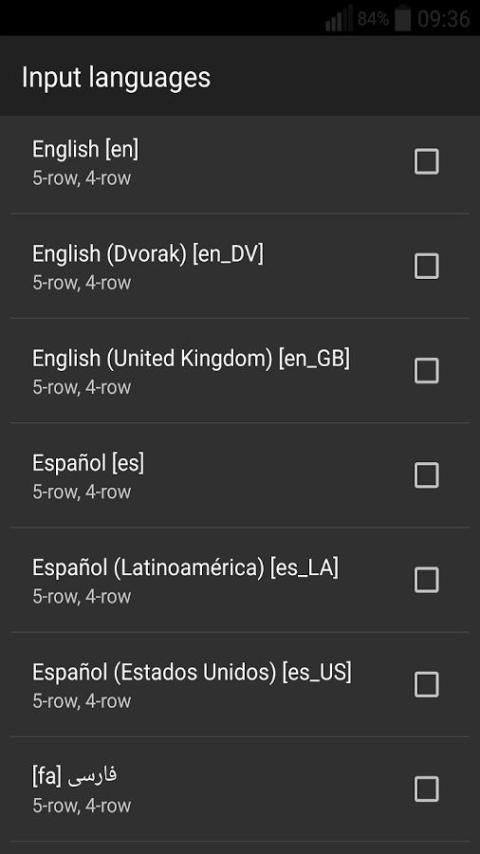
• Select input languages:
Press the Input languages button above to select which keyboard layouts you want to use. You must configure this if you want to use a language or layout other than the one corresponding to your system's default language
Press the Back button to return to this page.
When typing, slide the space bar horizontally to switch between selected layouts.
• Choose the currently active input method:
Press the Set input method button above.
Select Custom Keyboard from the list.
• Start Logging:
Tap on Start Logging button, to start the program.
Notes:
Basic version works on android API level 9 up to now.
Open the data.txt log file with any program which supports the UTF-8 text encoding.
There might be symbols such as, [Del], [Sym], [LC], [Sh] in the data.txt log file, which mean as the following:
Each [Del] means user has deleted one character in the text.
[Sym] means that user has switched between characters and numbers.
[LC] means that user has changed keyboard language, and
[Sh] means that user has used the Shift key to switch between uppercase and lowercase characters.
The Custom Keyboard works when the device is booted.


![[Cozy ASMR] soft typing on 8 different Keyboards | for sleep, relaxation and focus ☁️ screenshot 4](https://i.ytimg.com/vi/wrvVQMRjfpc/mqdefault.jpg)


9Apps 4.9










