
Main features of the Free WhatsApp status saver & downloader app 2022:
● User friendly application.
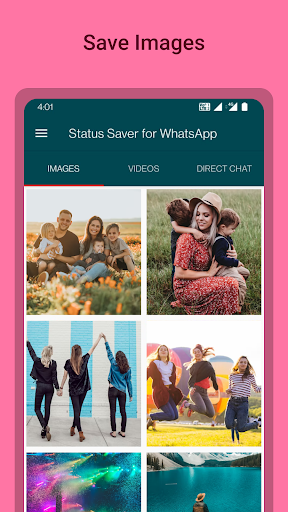
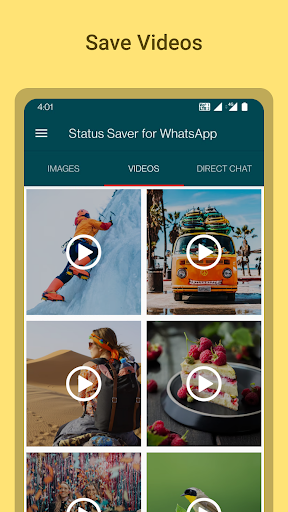
● Save WhatsApp status videos & photos.
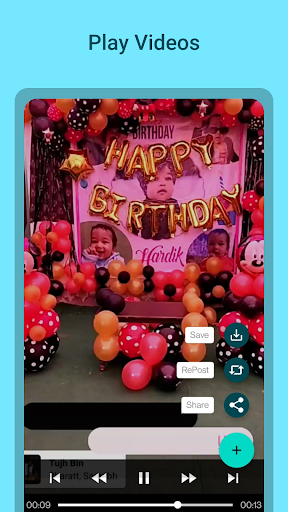
● Play the videos on the app.
● Repost Image/video on WhatsApp status.
● Share the WhatsApp status with others.
● Works on WhatsApp and WhatsApp Business.
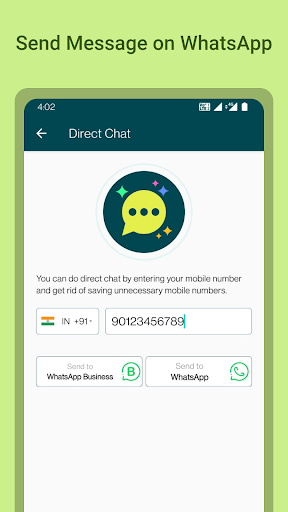
● Chat without adding contact on WhatsApp.
● Lightweight application.
Are you looking for an app to download WhatsApp video status on your phone?
Do you wish to repost the image & videos from your friend's WhatsApp status? Or do you want to have a WhatsApp chat with a person without adding them in your contact list?
Sometimes, when you view a image/video on the WhatsApp status of your contacts, you wish to save it on your phone or repost it on your WhatsApp status. But WhatsApp does not have any such feature in it. Therefore we bring you an easy solution with this app for Android- Status Saver for WhatsApp.
Developed by Billionaire Apps it is the best WhatsApp status downloader app in 2022.
Use this Whats App status downloader to enhance your WhatsApp experience by reposting the status from your contacts in quick steps.
Chat with people without adding them in your contacts using this application.
It works for both WhatsApp and WhatsApp Business!!
It is a lightweight WhatsApp status downloader app which will not consume more storage space on your Android device.
Adding the images on your WhatsApp status without having to screenshot your contacts' status has never been easier.
Download Status Saver for WhatsApp on your Android devices to easily get the images and videos from the status of your contacts.
Liked an image or video on your contacts WhatsApp status? Save the Whats App status on your phone with the help of the app.
Play the downloaded videos on the Status Saver app and re-watch it on the application without trouble.
Share the WhatsApp status of others with your friends with just one tap from the application.
Learn more on how to download WhatsApp Status Saver app to save, repost WhatsApp Status. Also find out how to directly chat with someone on WhatsApp without adding their number to your contacts.
How to download WhatsApp Status using the application ?
Step 1: Download Fre WhatsApp Status Saver app.
Step 2: Grant necessary permissions.
Step 3: View the WhatsApp status.
Step 4: Open the application and go to the Image or Video tab to find the desired WhatsApp status from your contacts you want to download.
Step 5: To save the WhatsApp status images and videos on your Android device, tap on Save.
Download WhatsApp video status or image status and save it on your phone for free.
How to repost WhatsApp Status using the application?
Step 1: View the WhatsApp status.
Step 2: Open the application and go to the Image or Video to find the status you wish to repost.
Step 3: Tap on Repost from the options.
The image or video will be quickly reposted on your WhatsApp status.
How to text on WhatsApp with someone without adding their number?
Step 1: View the WhatsApp status.
Step 2: Launch the application.
Step 3: Go to the Direct Chat tab.
Step 4: Enter your phone number.
Step 5: Select from the options -WhatsApp or WhatsApp business account to send the message.
Step 6: Start chatting with the person from the application.
Download Status Saver for WhatsApp Now!!
support@billionaireapps.com
View, share, download WhatsApp image, video statuses.
Instant chat without saving phone number.




9Apps 4.9