Simplector Pro icon

Simplector Pro

2.0.27 for Android
4.3 | 5,000+ Installationen | Bewertungen

Alexey Pryadko

3,49 €

Die Beschreibung von Simplector Pro

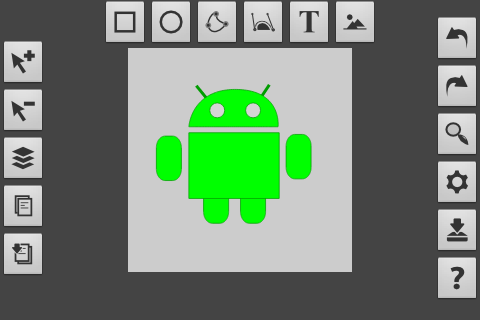
Simplement Pro ist eine kostenpflichtige Version des SVG-SVG-Vektor-Editors. Kaufen Sie es, um das Projekt zu unterstützen, und erhalten Sie zusätzliche Funktionen, z. Bearbeitung von Figuren-Eigenschaften
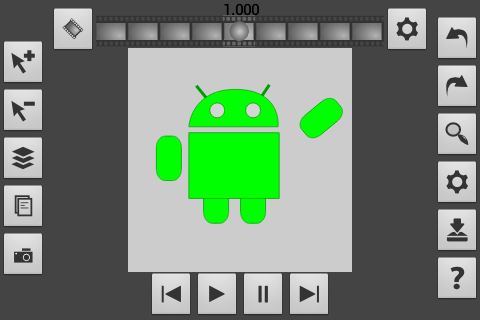
- Animationsmodus (mit Export in APNG, GIF-Filme)
Funktionen:
- Optimierung für verschiedene Bildschirme (Smartphones, Tablets)
- Unterstützt einfache Figuren (Rechtecke, Ellipsen, Text) sowie Bézier-Kurve, Pfad, Text und Rasterbilder
- unterstützt Animation
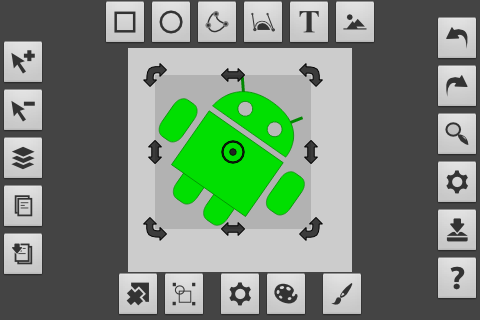
- stellt grundlegende Vorgänge wie Kopier & Paste, Skalierung, Rotation, Rückgängig / Redo
- Original Zeigerwerkzeug Vereinfacht die Steuerung mit Finger
- Konvertiert Rasterbilder in Vektor-Format und - SVG-Unterstützung. Statische Bilder, die im Simplement erstellt wurden, können in anderen SVG-fähigen Tools wie Inkscape geladen werden. Der Import von SVG-Dateien ist möglich, aber die Funktionen und Elemente, die noch nicht nicht unterstützt werden, werden ignoriert.
- Export von Bildern und Animationen an PNG, JPG, GIF, PDF.
- Kontext Hilfe
Fühlen Sie sich frei, um zu bewerten und zu kommentieren!
Simplctor-Forum, in dem Sie Probleme melden können, Funktionen anfordern oder einfach mit anderen Benutzern kommunizieren:
https://groups.google.com/forum/#!Forum/simplor

Informationen

  • Kategorie:
    Tools
  • Aktuelle Version:
    2.0.27
  • Aktualisiert:
    2017-07-11
  • Anforderungen:
    Android 0 or later
  • Entwickler:
    Alexey Pryadko
  • ID:
    plasma.vector.editor.app.pro
  • Available on:
Bewertungen
  • avatar
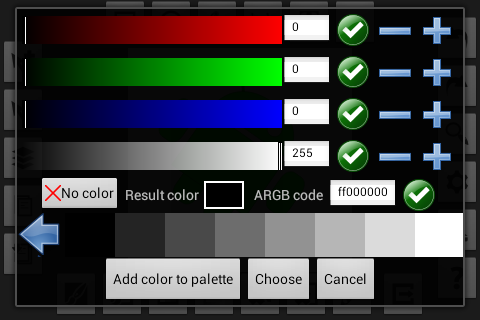
    on my Samsung Galaxy Note 10.1, Android 4.4.2. This app's (version 2.0.23) top features: Boolean operations, a versatile path & Bézier line editing menu, saving colours to an extra palette, Alpha RGB and CMYK, a linear and radial gradient editor allowing to enter and modify multiple steps between the start and end points, last not least a grid with a snap function, the cells of which can be downsized to a fraction of a pixel, thus allowing to precisely edit a shape's contours.— A more intuitive UI, & especially additional primitives as well as some additional tools, e.g. layers with visible content, rulers & smart guides, an option to change the direction of a path (like in font editing apps), align & distribute function along a path, an option to keep the shapes used for Boolean operations, conical and mesh gradients for life-like colouring, last not least calligraphic brushes as well as perspective and distort tools would turn Simplector Pro into an almost perfect app for artists. Special thanks to its father, Alexey Pryadko, whose Simplector is already far more than "a simple vector drawing" app! ;:-)
    2015-10-30 12:52
  • avatar
    So many great quotes, I'd be happy if my quest for the vector graphic app that works is goi g to end here!
    2015-07-26 01:42
  • avatar
    Mittlerweile eine meiner liebsten Apps. Gut durchdacht, alles funktioniert tadellos.
    2014-07-04 09:34
  • avatar
    Bought the PRO to support this great project. I'm missing three things which would boost usability of this app a lot: 1) relative alignment of objects 2) arrows for mid/end points on lines 3) more snapping functionality. All of those would actually enable the app to be useful in technical and scientific contexts ... which in its present stage it is not quite yet.
    2014-01-18 11:03
  • avatar
    use it to edit my svg files when im on the go great app & getting better the developers working al the time to make this app to the greatest one thumbs up nice app
    2013-10-08 08:40
  • avatar
    The app is very stable and fast and has a lot options even in the free version. I decided to buy the pro, just to provide the good work. After a few hours working (well, it was more like playing and testing out) with the app, I recognized a few points, i dont like much, so this is a feedback for the dev: 1. I could not find an option to change the standard colour of borders/filling or a standard on/off toogle for borders/filling. Do I really have to switch after every shape I create to the Colour mode to get rid off the ugly green to a nice black when i want to create a few paths with black filling? I noticed, that this cancels my workflow a bit, it would be nice, if the next shape would appear in the color last used for border/filling, the same for the on/off toogles for border/filling. 2. When you make a shape, you cant have a curve between the last point of your path and the first point - you have to place a point right next to your starting point, just to avoid a straight line, when you close the path. After all it is still the best available Vector graphics editor for android and it really deserves 5* Stars.^^ Greetings, Merc
    2013-07-24 07:00