
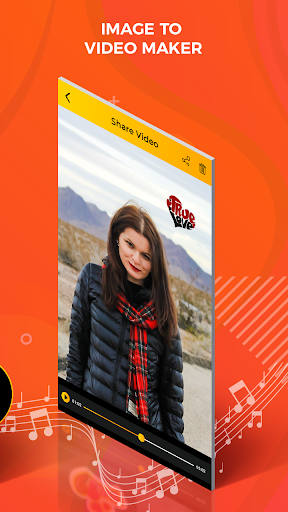
Image to video maker app is one of the best video editor.
Image to video maker app create your video with different
types of frame , filter and music. Image to video maker app
make your video more beautiful and gorgeous.
Features:
-Easy and simple to use.
-Multiple photos selection.
-Add the sticker and latest filter effect.
-Use undo and redo button.
-Erase facility available.
-Different types of animation them.
-Add and edit the image.
-Add your favourite music.
-Set video duration time.
How to use:
-Search the image to video maker app in play store.
-Install the image to video maker with song app.
-Update this application.
-Create video slideshow will be open in your smart phone.
-Click on create video slideshow maker button to start the application.
-Click on create slideshow button.
-Select the photos from gallery.
-Click on right arrow button.
-If you edit your selected photo.
-Click on edit button.
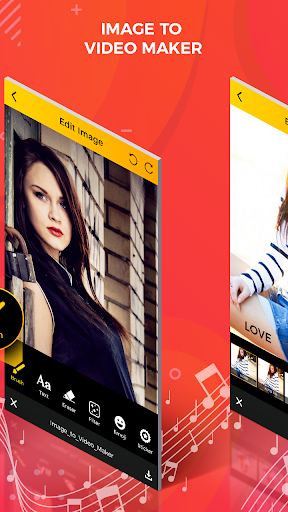
-Click on brush button.
-You can also set the brush size and opacity.
-Adjust the sic bar button with your finger.
-Select your favourite colour in the list.
-Draw the line on your selected photos.
-Click on text button.
-Enter the text with different type colour.
-Click on done button.
-Click on erase button.
-Erase the part of you want to draw.
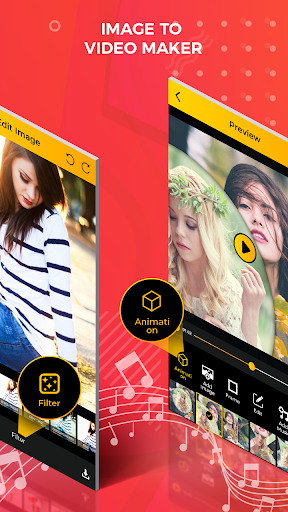
-Click on filter button.
-Select your favourite filter effect in the list.
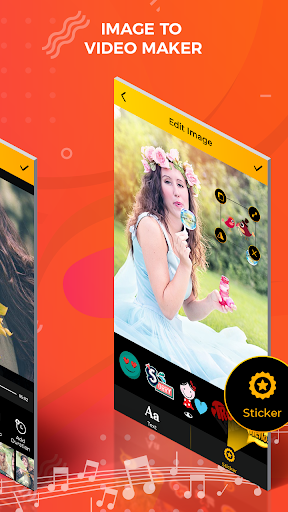
-You can also add the sticker.
-Click on sticker button.
-Select the sticker in the list.
-You also use undo and redo button.
-Click on right arrow button.
-Edit the all of selected photos.
-If you deleted the photo click on close button.
-Click on right arrow button.
-Set the screen start and end photo.
-Click on right arrow button.
-Massage will be show on your phone screen.
-Click on yes button.
-Click on animation button.
-Select your animation them.
-You can also add the image click on add image button.
-Click on frame button and select the frame in the list.
-Click on music button.
-Add your favourite music in the list.
-Click on duration button to set the video timing.
-Click on right arrow button.
-Share your video slideshow with your friend on social media.
-Click on create animation video button.
-Select the music in the list.
-Click on next button.
-You select exact only nine images.
-Select the photo from gallery.
-Click on done button.
-Edit your selected photos.
-Click on text button.
-Enter the text with different text colour , background, style and size.
-Click on right arrow button.
-Edit the al selected photos.
-Your animation video will be ready.
-Share your animation video with your friends on social media.
-Your created video will be show on view video button.




9Apps 4.9










