I wants to share an app for all of you. 10,000+ users downloaded SFHome Widget Selection04 latest version on 9Apps for free every week! It is simply to learn how to use it. This hot app was released on 2013-04-18. It get a lot of recognition after release.
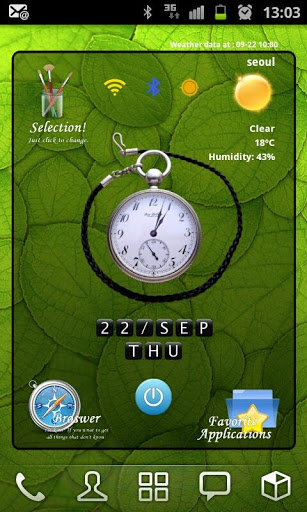
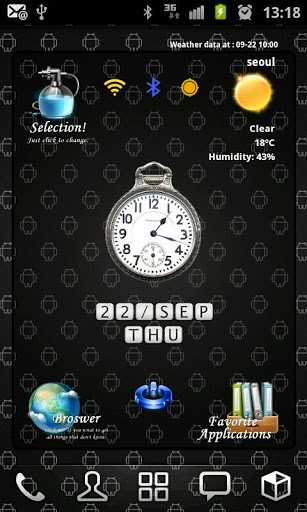
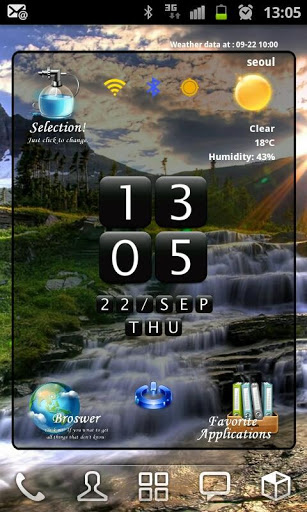
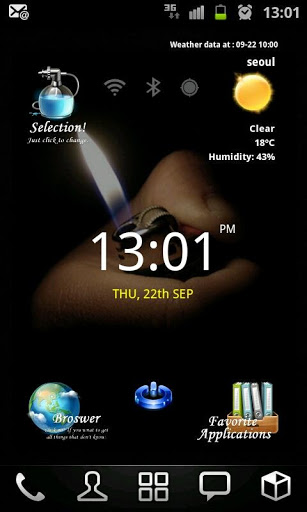
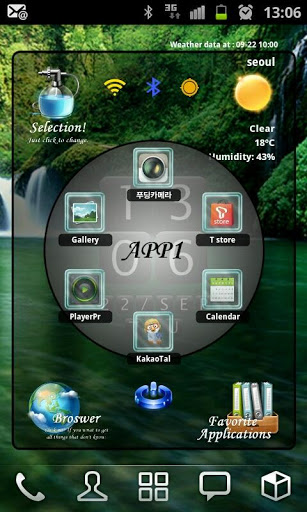
Here is new style home widget launcher Selection.Load just 1 widget at your home screen, you can get beautifuldigital clock, google weather, network status, soft screenoffand small launcher.Each itemclock,favorite launcher and main links have 3 themesand easy to change on setting screen.Features: Include 4x4 size only. Digital Clock 3 colors Analog Clock 2 style Digital Text Clock Color changeable Main links browser Theme Setting, Weather and Favorite toggle.3 style theme include Simple goole weather3 days fore cast Small 12 favorite application launcher, you can change the links to other program. 3 style icon skins include Soft screenoff Network status indicators.Each icons link to setting programs Landscape screen included Support English and Korean language.Add widget:1Remove all widget and links on 1 page of your home.2Hole on your homescreen3Select quot;Widgetsquot;4Find quot;SFHome Widget Selection04quot;5Click on it6The widget will appear in your homescreenNote Home screen grid must 4x4 or large. In case 4x5, 5x5 size, you can expand the widget.Button Actions:1. LeftTop Selection: Run widget setting program2. LeftBottom Browser: Run Browser3. RightBottom Favorite : Toggle favorite view4. RightTop Weather Icon : Toggle forecast viewText of Weather Condition : Weather update manually5. Center Clock : Run ClockAlarm program6. CenterBottom Power : Run softScreenoff7. CenterTop Wifi : Run setting Wifi8. CenterTop bluetooth : Run setting Bluetooth9. CenterTop GPS : Run setting GPS10. Center of Application view : Toggle App1App2Setting:1. Change Theme Click selection icon on topleft side. Select main icon style Select clock color Select favorite icon style2. Weather Setting Click selection icon on topleft side. Click search Location Enter city name and click quot;Findquot; button. If the laocation found, then click quot;Savequot; button Select update period Select temperature unit3. Change favorite links Click selection icon on topleft side. Click Change application links Select icons that you want to change Select application that you want to use Icon and name is changed to your selection.program icons used. you can39;t change custom icons Back to the home screen Note Main links can change link only.You can39;t use program icons for them. Note: Please exclude the widget from any task killers. Weather update is needed maualy when reboot phonejust one time ScreenOff and On requred to refresh screen when home grid size changejust one time When widget first loading, program find the programs on the phone for favorite. If there is no programs, it appear quot;No Appquot;.You can change new program that you have.

9Apps 4.9