

All high quality mobile apps are available for free download. 10,000+ users downloaded Advanced Task Cleaner 2.0 latest version on 9Apps for free every week! A lot of functions and features are contained in this app. This hot app was released on 2013-04-20. You can find more interesting apps at 9Apps!
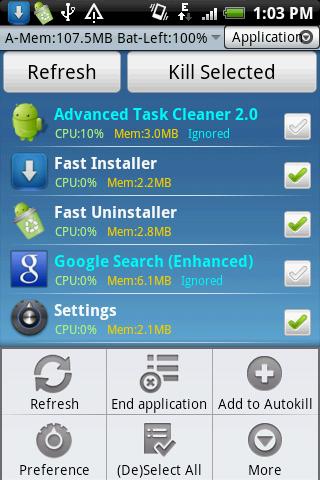
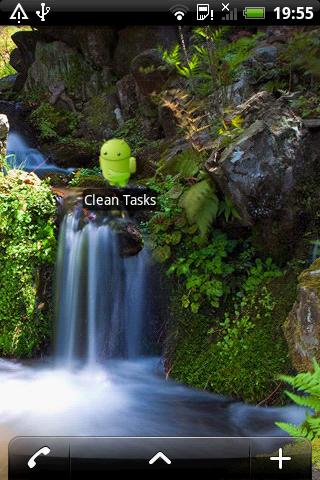
Making your android phone speed up and saving batteryCleaning running applications.Uninstall apps.Making your android phone speed up and saving batteryFOR android 2.2 and above usersIn Android 2.2and above, the SDK has been changed where terminating applications will not end the associated services and notifications.So We Add some features for 2.2 users as below:1.Press app item and choose quot;End Taskquot; option from pop up menu, if you want to kill an app. it will switch to App Info View,Tap the quot;Force Stopquot; button please.2.It will auto switch to Running Services Viewsystem provided to end services,after clicking quot;end taskquot; button.HOW TO USE It39;s Pretty simple:1.Launch this application and take a look at the running applications list, uncheck some applications you don39;t want to kill Such as some system applications. Tap the menu quot;End Applicationquot;, it will kill all checked applications.2.Click item to killswitchuninstallsee detail task in application view tab.3.Long press item to addremove ignore list,addremove autokill,manage autokill list in application view tab.4.Long press item to manage,uninstall,switch tofind in market in uninstall view tab.5.Auto start type :Launch Application , Service onlydefault or None when boot.6.Click tool bar tohideshow tab.7.Enable Autokill Service ,if youwant to autokill tasks.8.Long press to add task clean widget on home screen.9.If force close,send bug report to us by menugt;preferencegt;Bug Report.NOTICE1.In Android 2.2and above, the SDK has been changed where terminating applications will not end the associated services and notifications.So it will auto switch to Running Services Viewsystem provided to end services,after clicking quot;end applicationquot; menu.2.Make the show ignore app setting checked, the ignore app will be displayed in application tab.3.The Startup clean scale is same as Widget39;s kill all apps. Actually it means kill all tasks which exclude ignore list and some system required tasks.4.If Widget Press Action has been changed ,please remove the widget from Home Screen and add it again5.hide the Notification message when the phone screen is from off to on and no task to kill.6.When AutoStart type is quot;Service onlyquot;, means my app will run in background after reboot.7.If you pressed Menugt;Completely Exit, all functions will be terminated except the widget.8.You can add widget to clean task by scale mode or set different apps to be killed at different times using the interval optionsNOTES 1.Autokill function only kills tasks which is in this autokill list.Be careful on what you intend to insert in the autokill list.2.this autokill function runs when the screen goes off or enters sleep mode or interval mode.3.Interval Autokill Service autokill tasks by interval mode. Set the interval of autokill in autokill list view.4.When first init this app, Message,Gmail,Home and this app will be auto added to the ignore list.5.About widget,You can change Widget Press Action from Menugt;Preferencegt;Widget Setting.6.Menugt;Completely Exit to kill this app.7.In All App tab shows all running apps which contains system app.I suggest that clean tasks in application tab is better.8.If Message app is killed,you don39;t show notification any more when new message arrived.Be care of this pleaseKW: taskiller Advanced Task killer taskmanager taskpanel process manager panel app memory ATK uninstaller.Any problem and suggestion please EMAIL me.




9Apps 4.9









