
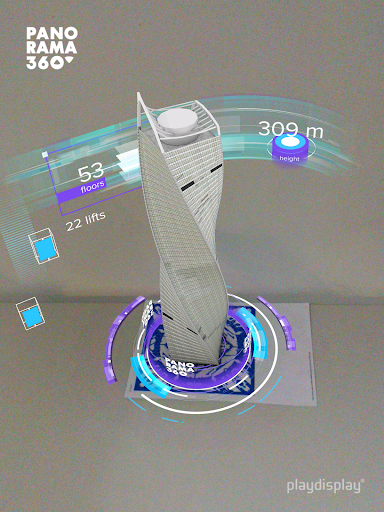
AR Moscow City is an augmented reality (AR) app created specially for the guests of PANORAMA360, the highest observation deck in Europe, to see digital Moscow City Towers in conjunction with the real world: Federation Towers, Central Core, Evolution Tower, Imperia Towers, City of Capitals, Naberezhnaya Tower, IQ-quarter, Eurasia Tower, Mercury City Tower, OKO, Northern Tower, Neva Towers.
The app contains a unique information about the construction features and the main characteristics of each showcased tower, while unusual comparisons to international sights will definitely make you smile.
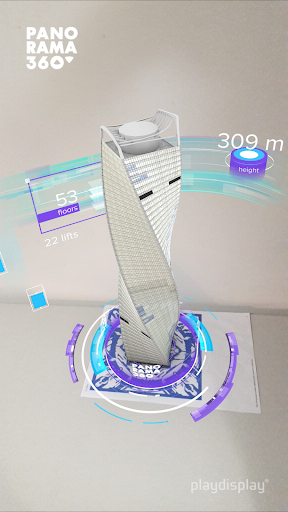
The app is kid and elderly friendly. It is adapted for three languages: Russian, English and Chinese, so international guests can use it as well as local guests. You just point the camera of your mobile device at a special image (AR marker), located on the podium at the observation deck PANORAMA360, and a digital 3D animated tower with a beautiful infographic shows up in front of you in augmented reality. Options to rotate the AR object and the use of built-in camera make the process even more exciting.
Upload the AR Moscow City app and visit one of the most innovative observation decks in the world PANORAMA360 as many surprises are waiting for you there.
Now everyone can enjoy magic and share it with friends and family!
Some bug fixes







9Apps 4.9










