
dream Player TV for TVheadend icon

dream Player TV for TVheadend

5.4.0 for Android
3.4 | 100,000+ Installs | Reviews

Christian Fees

⚠️ You need 9Apps App to install .XAPK File. How to install XAPK?

Description of dream Player TV for TVheadend

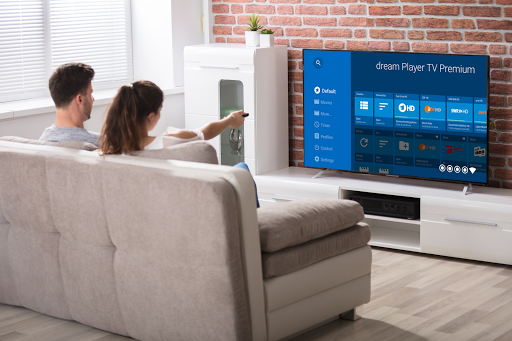
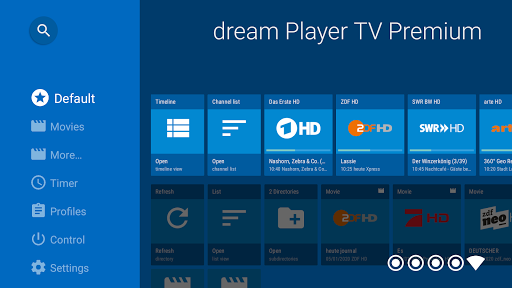
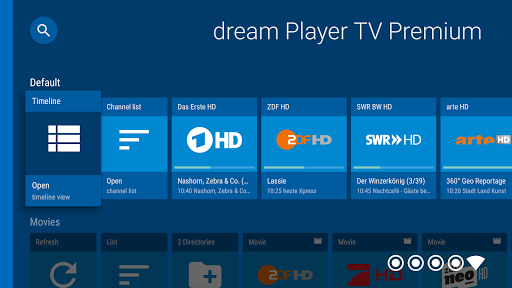
Use your Android TV as an IP-Client for your TVheadend server.
Important: This app is intended to run on Android TV devices. If you are using a smartphone or tablet, please use the app 'dream Player for TVheadend'
Features:
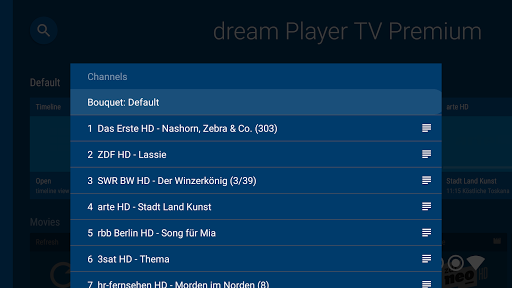
- Watch SD and HD channels
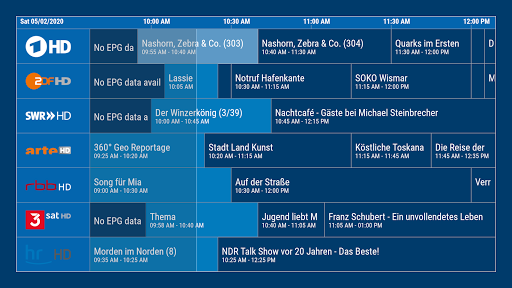
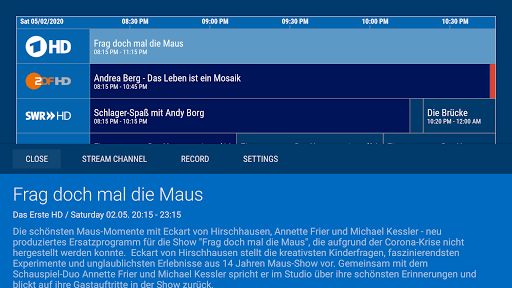
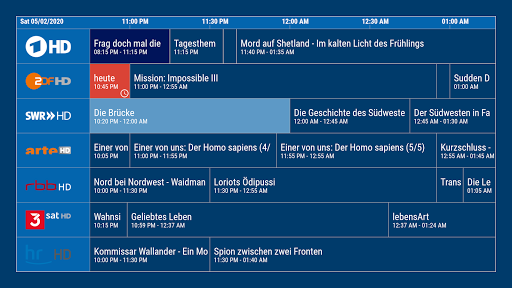
- Timeline with full EPG history (depending on the EPG data on your receiver)
- Play recorded movies
- Picture-in-Picture (PiP)
- Watch M3U playlists for IPTV channels
- Use picons/channel logos
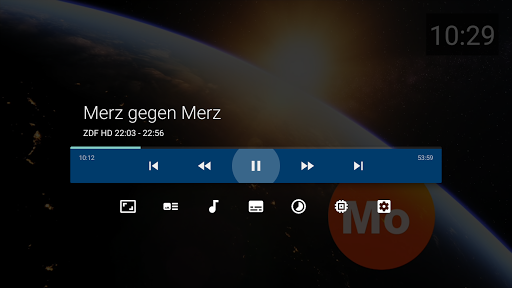
- Show subtitles
- Change audio/video track
- Change aspect ratio
- Sleeptimer
- Live channels (for compatible Android TV devices)
- Multiroom: Just connect your Android TV to your home network
- Zap channels in Live TV mode (click right or left on your remote to zap to the next/previous channel)
- Quick forward and rewind in movie mode (click right or left on your remote to skip 1 minute, click ENTER and fast forware to skip 5 minutes)
Prerequisites:
- TVheadend server (version 4.2 and above is recommended)
- Android TV (e.g. Nvidia Shield, Nexus Player, MXQ, S905, Philips TV, Sony Bravia TVs, Xiaomi MI Box 4K ...)
Important: This version is restricted to 5 channels for each bouquet and 5 movies for each folder. You can use In-App-Purchase to buy the unlimited premium version.

What's New with dream Player TV for TVheadend 5.4.0

New in version 5.4:
- Some new features and improvements

Information

  • Category:
    Video Players & Editors
  • Latest Version:
    5.4.0
  • Updated:
    2022-01-13
  • File size:
    46.8MB
  • Requirements:
    Android 5.0 or later
  • Developer:
    Christian Fees
  • ID:
    de.cyberdream.dreamepg.tvh.tv.player
  • Available on:
Reviews
  • avatar
    Does the job well. I needed a better way for the family to get to terrestrial tv than via plugins in Emby or Kodi. This allows a 1 click entry to tv, and the response and channel change is much more responsive than the plugins. The channel change is almost as quick as it was when there was an aerial plugged directly into the tv, but that's probably more an indictment of the slow channel change on Sony's Android range. Also integrates with Google's Live Channels app if you pay for premium, which I believe is worth it so that the TV button on the remote now jumps into live tv, rather than into a dead digital tuner.
    2020-09-06 10:20
  • avatar
    Excellent player!! I removed one star because when it returns the channel numbers to the AndroidTV live channels system it uses the channel's ordinal position as the number, vs. the channel's actual number (which is verified as available). Otherwise, an excellent application! UPDATE: It turns out it was an ID-10-T user error 😂🤷‍♂️...added one star for both not having the problem I saw, and the speed with which the developer responded!
    2020-02-25 08:12
  • avatar
    This is without doubt the best way to watch TV from your tvheadend server on your TV. I have this on my Sony Android TV as well as on another TV via an Amazon Fire TV stick. There are occasional crashes but there are lots of plus points such as the genre view and the automatic picon downloads. It is a shame I ended up paying for the premium app twice though (Amazon and Google appstores don't speak well) but still worth it.
    2019-11-12 10:54
  • avatar
    Integration to Live Channels seem quirky with separate app specific user interface. Recordings can be set on Live Channels EPG & displayed there. Recordings set on app's EPG will not show on Live Channels' EPG. Timing conflicts shown on Live Channels EPG if timers are set in it but not shown in app's EPG. Confusing setup. Running on Nvidia Shield, with upgraded TVheadend 4.2 on Libreelec 9.0.1
    2019-03-03 05:43
  • avatar
    works okay, playback via live channels is sluggish and audio is out of sync. direct pkayback in app works ok.
    2019-02-06 07:10
  • avatar
    Needs polish. When I am watching a channel and hit up arrow (fast switch menu) is not as fast as i would like. When in fast switch menu, scrolling up and down is fine, but hitting right and left should switch between the tags on the TVH server, not give me unwanted EPG info (if i want EPG info i would have hit down for the overlay EPG). The way it stands i have to go back to the main menu to switch tags (not good). When i select a channel (in the fast switch menu) I dont want a pop up asking me if i want to switch... I want to tune in right away. Put all that extra stuff in the EPG overlay (down arrow menu). Also, in the up arrow menu its hard to distinguish the channel name from the current programming, make programming italic and give it a different color.
    2018-11-19 07:52














