Inches - Metric Converter Free icon

Inches - Metric Converter Free

1.0 for Android
4.3 | 100,000+ Installs | Reviews

KanataSoft

Description of Inches - Metric Converter Free

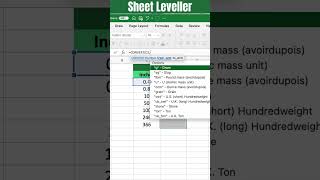
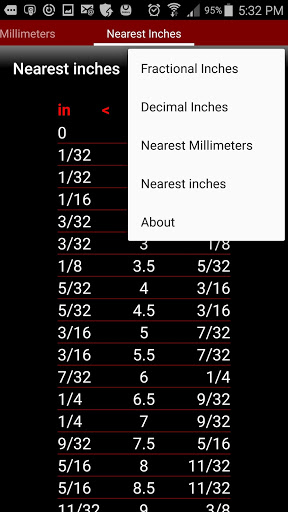
This app converts from inches to metric (millimeters) and vice versa and is invaluable to anyone that has to deal with both American (Imperial) and metric tape measures, rulers, wrenches, sockets and drill bits. It supports both fractional (e.g. 5/8) and decimal (e.g. 0.625) inch values and converts them to the nearest tenth of a millimeter. The developer of this app used to work as a handyman and the capabilities provided are well-suited to everyday 'practical use' rather than scientific applications. The app provides four distinct 'pages' each with a distinct capability:
Page 1:
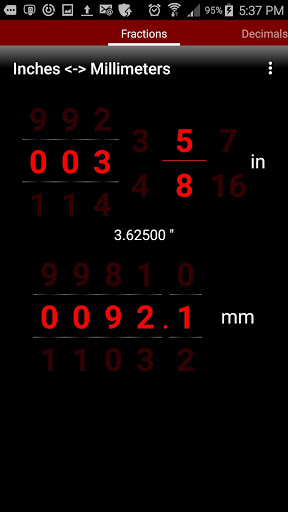
Fractional inches to millimeters conversion, and vice versa, with easy input of numeric values using iPhone-style 'spinner' dials.
Page 2:
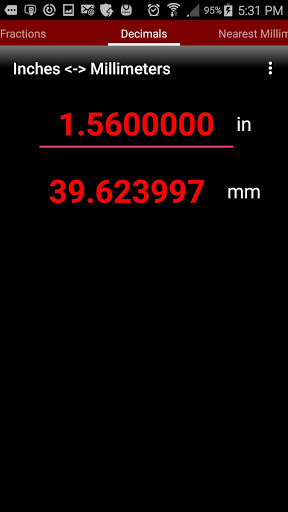
Decimal inches to millimeters conversion, and vice versa, using an ultra-simple calculator-style user interface.
Page 3:
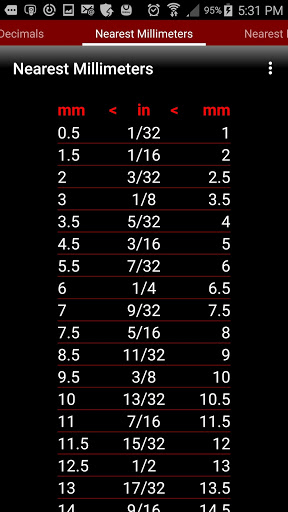
Provides a table showing the nearest common millimeter values to any fraction of an inch from 1/32" to 1"; this is very useful when you have an American (Imperial) bolt to turn, or hole to drill, but you only have metric wrenches and drill bits.
Page 4:
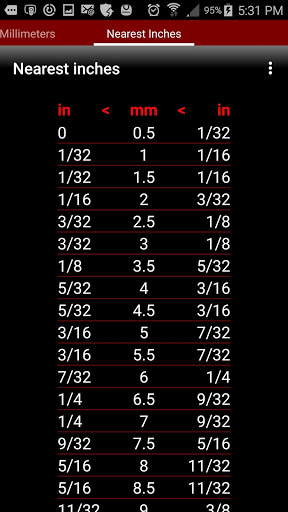
Provides a table showing the nearest common fractional inch values to any metric value from 0.5 to 25 millimeters; this is very useful when you have a metric bolt to turn, or hole to drill, but you only have American (Imperial) wrenches and drill bits.

Information

  • Category:
    Tools
  • Latest Version:
    1.0
  • Updated:
    2015-12-02
  • File size:
    2.5MB
  • Requirements:
    Android 3.0 or later
  • Developer:
    KanataSoft
  • ID:
    com.hulme.inchtommfree
  • Available on:
Reviews
  • avatar
    Needs more decimal places such as .140 to mm or 0.64mm to inch
    2020-09-18 03:22
  • avatar
    Ill pay money for a galaxy watch version, and once its on watch with dial, swiping to change fraction will make a lot more sense
    2020-08-07 11:33
  • avatar
    Great ideal but the swiping to change the numbers makes it very very annoying. Please change or add the ability manually enter numbers. You pick a number then go to change screens and you change the number and have to start again. Too frustrating for me to use as it is. Will happyly give more stars if it is changed.
    2020-06-08 09:33
  • avatar
    Always defaults to 3 5/8", even when you change screens. Annoying, removed.
    2020-04-18 12:57
  • avatar
    amazing app , very helpful
    2020-02-16 07:00
  • avatar
    Well thought out app, but the practice of swiping up and down or side to side to input your values gets really frustrating... the app would be improved by just inputing the digits manually.
    2020-01-01 06:59