
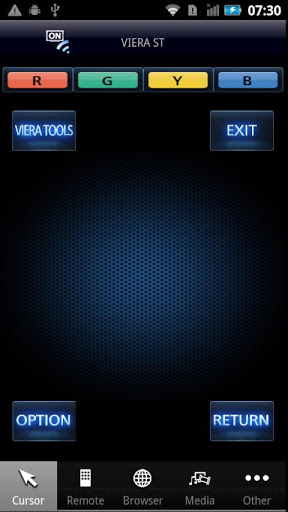
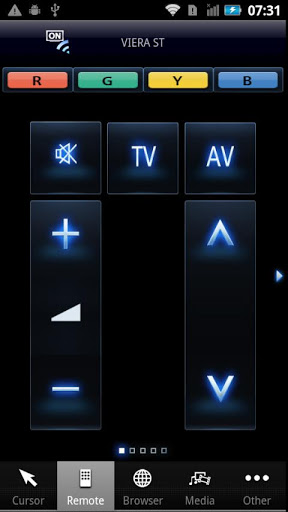
TV Remote app lets you comfortably operate Panasonic flat-panel TV, 2011/2012 VIERA with mobile devices running Android OS ("Android Device(s)").
The TV Remote app lets you control VIERA over wireless network (Wi-Fi) more intuitively than the ordinary remote controller. The TV Remote App also lets you transfer pictures, videos, music or websites from your mobile display to VIERA TV, and vice versa. It also features a Game Controller option, which lets you play games using Android Device as your handset. Keyboard and touch surface functions smartly enhance the interaction with VIERA integrated web browser.
In order to use the TV Remote app, all you need is to simply install the app to your Android Device. There is no complicated setting required to establish connection with VIERA. Give it a try.
For information on using this app or compatible models, visit the following support page.
If you can not find a solution by visiting the support page, you can contact us from the support page.
http://panasonic.jp/support/global/cs/tv/vremote/android/
Please understand that we will not be able to contact you directly even if you use the “Email Developer” link.
------------------------ Compatible VIERA Models ------------------------
>
North America: VT50, GT50, ST50, UT50, XT50, WT50, DT50, ET5, E50, LE54, E5
Latin America: VT50, GT50, ST50, UT50, XT50, WT50, DT50, ET5, E50, E5
Europe:VT50, GT50, ST50, STW50, UT50, XT50, WT50, DT50, ET50, ETW50, ET5, ETW5, ET51, ET52, ET53, ET54, E5, EW5
CIS:VT50, GT50, ST50, UT50, XT50, WT50, DT50, ET50, ET5, E5, EW5
Australia/New Zealand/HongKong:VT50, GT50, ST50, UT50, XT50, WT50, DT50, ET50, ET5, E5
ASEAN: VT50, GT50, ST50, UT50, XT50, WT50, DT50, ET50, ET5, E5
>
North America: VT30, GT30, ST30, PST34, GT31, DT30, D30
Latin America: VT30, GT30, ST30, DT30, E30
Europe: VT30, GT30, GW30, GTX34, GTN33, GTF32, GTS31, G30, ST30, ST31, ST33, S30, S31, UT30, DT35, DT30, D35, D30, E30, E31, EX34, EN33, EF32, ES31, EW30
CIS: VT30, GT30, ST30, UT30, DT35, DT30, E30
Australia/New Zealand/HongKong: VT30, GT3, ST30, UT30, DT30, E30
ASEAN: VT30, GT30, ST30, UT30, VT31, GT31, GT32, ST32, S30, DT30, E30
(As of Feb 20, 2012)
- App Name was changed to "Panasonic TV Remote"
- bug fix






9Apps 4.9















